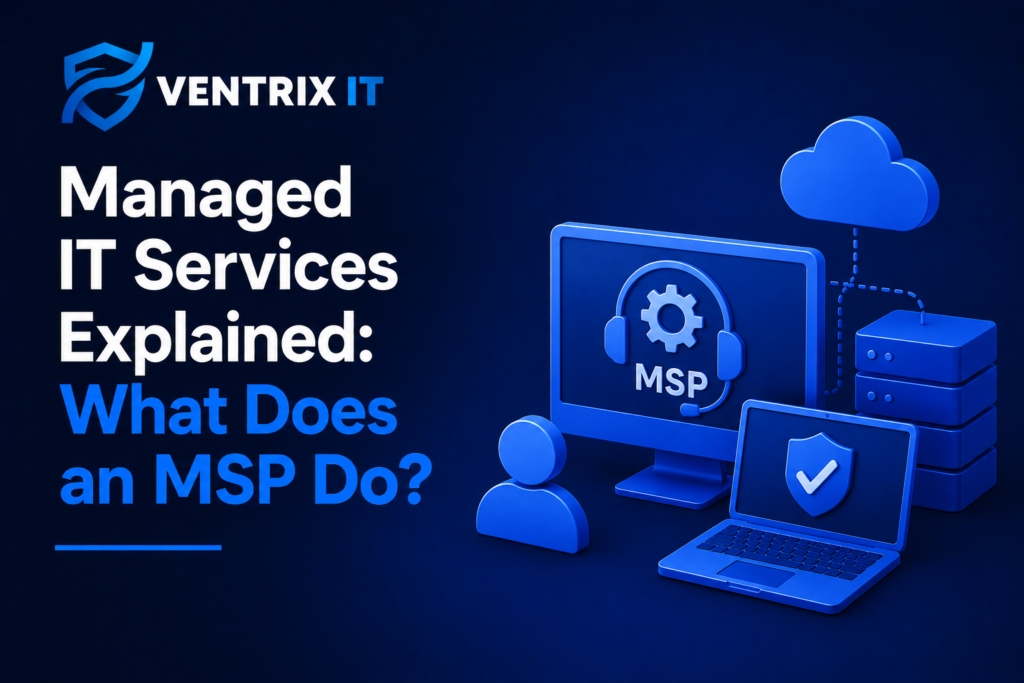
If you have heard the term MSP but are not quite sure what it means, you are not alone. This guide explains what a Managed Service Provider does, how managed IT support works and why more businesses are choosing this approach to managing their technology.
What Is an MSP?
MSP stands for Managed Service Provider. In simple terms, an MSP is a company that manages and supports a business’s IT on an ongoing basis.
Rather than only calling an IT company when something goes wrong, a business works with an MSP to manage its technology proactively. This can include everything from day-to-day IT support and Microsoft 365 management to cyber security, backups, monitoring and strategic IT advice.
For many small and medium-sized businesses, an MSP effectively becomes an extension of their team, providing access to technical expertise without the cost and complexity of building a large internal IT department.
What Does a Managed IT Service Provider Actually Do?
The exact services provided by an MSP will vary, but a managed IT support service will typically cover several areas of a business’s technology.
IT Support
An MSP provides ongoing technical support when employees experience problems with their computers, software, accounts, connectivity or other technology.
The aim is not simply to fix problems as they happen. A good MSP will also look for recurring issues and identify ways to prevent them from happening again.
Proactive Monitoring and Maintenance
Traditional IT support can be reactive: something breaks, someone reports it and the IT provider fixes it.
Managed IT services take a more proactive approach. Systems and devices can be monitored, maintained and updated to identify potential problems before they cause significant disruption.
This can help reduce downtime and keep business-critical systems running reliably.
Cyber Security
Cyber security is now an essential part of managing business IT.
An MSP can help implement and manage security measures such as endpoint protection, multi-factor authentication, security monitoring, patch management, email security and security policies.
Rather than treating cyber security as a separate consideration, it can form part of the wider IT strategy.
Microsoft 365 Management
Many businesses rely heavily on Microsoft 365 for email, collaboration, document management and day-to-day productivity.
An MSP can help manage Microsoft 365 environments, including user accounts, permissions, security settings, licences and services such as Microsoft Teams and SharePoint.
This means businesses can get more value from Microsoft 365 while ensuring it is configured and managed appropriately.
Backups and Disaster Recovery
An MSP can also help businesses protect their data and prepare for situations where systems become unavailable.
This may include managing backups, monitoring backup jobs and regularly reviewing whether data can actually be recovered when needed.
A backup that has never been tested is not something a business should simply assume will work when disaster strikes.
Strategic IT Advice
Managed IT support should not only be about fixing problems.
A good MSP should understand the business and help ensure its technology supports its goals. This could involve advising on new software, improving security, planning technology upgrades or helping a business prepare for growth.
How Does Managed IT Support Work?
Managed IT support is generally provided under an ongoing agreement.
The business and MSP agree on the services required, the systems being managed and how support will be delivered. Employees can then contact the MSP when they need assistance, while the provider takes responsibility for proactively managing the agreed IT environment.
This creates a more consistent approach to IT rather than relying on ad-hoc support whenever something goes wrong.
The relationship can also develop over time. As the MSP becomes familiar with the business, its systems and its users, it can provide more informed advice and identify opportunities to improve the IT environment.
Managed IT Support vs Traditional IT Support
One of the easiest ways to understand an MSP is to compare managed IT support with traditional break-fix IT support.
Break-fix support generally means contacting an IT company when something stops working. The provider fixes the problem and charges for the work carried out.
Managed IT support is designed around an ongoing relationship. The provider proactively monitors and maintains systems, provides regular support and works with the business to improve its IT over time.
Neither approach is automatically right for every business. However, as organisations become increasingly dependent on technology, a reactive approach can become difficult to manage.
Why Do Businesses Use an MSP?
There are several reasons a business may choose managed IT services.
More predictable IT costs
Instead of dealing with unexpected support bills whenever something goes wrong, managed IT services typically operate around an agreed monthly cost.
This can make IT spending easier to budget and plan.
Access to wider expertise
A small internal team or single IT employee cannot necessarily be an expert in every area of modern technology.
An MSP can provide access to a wider range of technical knowledge, including IT support, Microsoft 365, cloud services and cyber security.
A proactive approach
Rather than waiting for problems to affect employees, an MSP can monitor systems, apply updates and identify potential issues before they become larger problems.
Better security
Cyber threats continue to evolve, and businesses need to take security seriously.
Having an MSP involved can help ensure important security controls are implemented, maintained and reviewed as part of the wider IT environment.
Support for business growth
Technology requirements can change significantly as a business grows.
An MSP can help businesses plan for new employees, offices, software, devices and cloud services without having to rethink their entire IT infrastructure every time something changes.
Do You Need an MSP?
Managed IT support can be particularly useful for small and medium-sized businesses that rely heavily on technology but do not have the resources or need for a large internal IT department.
You may want to consider an MSP if:
- Your business relies on Microsoft 365 and cloud applications
- IT problems are regularly disrupting employees
- You do not have dedicated internal IT expertise
- Cyber security is becoming a bigger concern
- Your current IT support is mainly reactive
- You are unsure whether your backups and security controls are working properly
- Your business is growing and your IT requirements are becoming more complicated
- You want more predictable IT costs
- You need strategic advice as well as technical support
The important thing is not simply whether you have an IT provider. It is whether your current approach gives your business the support, security and reliability it needs.
What Should You Look for in an MSP?
Not all Managed Service Providers work in exactly the same way.
When choosing an MSP, look beyond the number of services listed on a website. Consider how the provider actually works with its customers.
Look for an MSP that:
- Takes a proactive approach rather than simply fixing problems
- Understands your business and its priorities
- Can support your Microsoft 365 and cloud environment
- Takes cyber security seriously
- Provides clear communication and defined service levels
- Can scale its services as your business grows
- Provides strategic advice rather than simply technical fixes
- Has a support process that is easy for employees to use
For businesses in Kent, working with a local MSP can also provide the benefit of having a provider that understands the needs of businesses in the area while still being able to deliver modern cloud-based IT services.
Is an MSP the Same as an IT Support Company?
The terms are sometimes used interchangeably, but there can be an important difference.
An IT support company may primarily provide technical assistance when a customer has a problem. An MSP generally takes broader responsibility for managing the customer’s IT environment on an ongoing basis.
In practice, there is overlap between the two. The important question is not what a provider calls itself, but what it actually delivers.
If your provider only gets involved when something breaks, you may be receiving traditional IT support rather than fully managed IT services.
The Bottom Line
An MSP is more than a company you call when your computer stops working.
Managed IT support is about taking a proactive, ongoing approach to managing your business technology. It combines day-to-day support with monitoring, maintenance, cyber security, Microsoft 365 management and strategic advice to help keep your IT reliable, secure and aligned with your business.
For businesses that increasingly depend on technology, having the right IT partner can make a significant difference.
If your current IT support is mainly reactive, or you are spending more time dealing with technology problems than focusing on your business, it may be worth considering whether managed IT services are a better fit.
Managed IT Support in Kent
At Ventrix IT, we provide managed IT services for businesses across Kent and the South East.
We combine responsive IT support with proactive monitoring, cyber security, Microsoft 365 management and strategic IT advice, giving businesses a single partner for their day-to-day and longer-term IT needs.
If you are considering moving to managed IT support, we’d be happy to discuss your current setup and where we could help.
Get in touch with Ventrix IT to discuss your IT requirements.
Businesses have changed significantly in recent years. Technology is no longer simply something employees use to complete their work. It sits at the centre of how many organisations communicate, store information, serve customers and operate day to day.
As that reliance has increased, so has the impact when something goes wrong.
A slow network, compromised account, failed laptop or Microsoft 365 issue can quickly affect productivity across an entire business. For many organisations, relying on ad-hoc IT support is no longer enough.
This is one of the reasons more businesses are considering managed IT services as a more proactive approach to managing their technology.
What Are Managed IT Services?
Managed IT services involve outsourcing some or all of a business’s IT management to an external provider, commonly known as a Managed Service Provider (MSP).
Rather than contacting an IT company only when something breaks, businesses receive ongoing support and management of their IT environment.
Depending on the provider and service, this can include:
- Day-to-day IT support
- Proactive monitoring and maintenance
- Microsoft 365 management
- Cyber security
- Device and patch management
- Backup and business continuity
- User and account management
- IT strategy and planning
- On-site support where required
The aim is to move away from a purely reactive approach and towards proactive IT management.
- Businesses Are More Reliant on Technology
One of the biggest reasons businesses are moving towards managed IT is simple: they depend on technology more than ever.
Microsoft 365, cloud applications, online accounting systems, CRM platforms, video conferencing and digital communication are now fundamental to many businesses.
When these systems work properly, they allow employees to work efficiently. When they don’t, the impact can be immediate.
A business that once experienced an IT problem affecting one computer may now experience an issue that affects an entire team.
This makes reliable IT support increasingly important.
Downtime Can Be Expensive
Even relatively minor IT problems can result in lost productivity.
If employees cannot access their systems, connect to essential applications or communicate with customers, valuable working time can quickly be lost.
Managed IT services are designed to reduce the likelihood and impact of these problems by identifying and addressing issues before they become larger disruptions.
- Businesses Want More Proactive IT Support
Traditional IT support is often reactive.
Something stops working, the business contacts its IT provider and someone investigates the problem.
There is still an important place for responsive IT support, but many businesses now want more than simply fixing problems when they occur.
A managed IT provider can continuously monitor and maintain aspects of a business’s IT environment.
This can include identifying:
- Devices that need updates
- Security issues
- Hardware problems
- Storage concerns
- Software issues
- Configuration problems
- Potential vulnerabilities
The objective is straightforward: identify problems before they become business problems.
- Cyber Security Has Become a Business Priority
Cyber security is another major factor behind the move towards managed IT services.
Businesses of all sizes are targeted by cyber criminals, and the security of an organisation depends on much more than having antivirus software installed.
Businesses need to consider areas such as:
- Multi-factor authentication
- User permissions
- Secure Microsoft 365 configuration
- Device security
- Software patching
- Email security
- Backup and recovery
- Security awareness
- Monitoring and incident response
For a small or medium-sized business, maintaining all of these areas internally can be challenging.
A managed IT provider can help establish and maintain appropriate security controls as part of the wider IT environment.
IT Support and Cyber Security Are Increasingly Connected
IT management and cyber security can no longer be treated as completely separate areas.
For example, failing to patch a device can create a security vulnerability. Poor user permissions can increase the impact of a compromised account. Weak Microsoft 365 configuration can expose business data.
Managing these areas together provides a more consistent approach to protecting the organisation.
- Microsoft 365 Needs Ongoing Management
Microsoft 365 has become a core platform for businesses across Kent and the wider UK.
Applications such as Outlook, Teams, OneDrive and SharePoint allow employees to communicate and collaborate from almost anywhere.
However, subscribing to Microsoft 365 is only the beginning.
Businesses also need to manage:
- User accounts
- Licences
- Multi-factor authentication
- Security settings
- Permissions
- Devices
- Email security
- Shared resources
- Microsoft Entra ID
- Data access
Without proper management, businesses may not be getting the security or functionality available within the platform.
Managed IT providers can take responsibility for ongoing Microsoft 365 management and help businesses make better use of the technology they are already paying for.
- Remote and Hybrid Working Has Changed IT Support
Many businesses now have employees working from different locations.
This can make IT management more complicated.
Employees may be using company laptops at home, accessing cloud applications from different networks and connecting to business information outside the traditional office environment.
Businesses therefore need to manage not just the office network, but the wider collection of devices, accounts and cloud services employees rely on.
Managed IT services can provide centralised support and management across these environments.
For businesses with hybrid teams, this can make it easier to maintain consistent security and support regardless of where employees are working.
- Businesses Don’t Always Have the Resources to Manage IT Internally
For larger organisations, having an internal IT department may make sense.
For many SMEs, however, employing a large internal IT team isn’t practical or cost-effective.
A business may have one person responsible for IT alongside many other responsibilities, or rely on employees to solve technical problems themselves.
This can leave important areas of IT without clear ownership.
A managed IT provider effectively gives the business access to a wider team of technical expertise without the cost and complexity of building that team internally.
This can be particularly useful for growing businesses that need more IT support than they can reasonably manage themselves.
- Businesses Want More Predictable IT Costs
Reactive IT support can make technology spending difficult to predict.
A quiet month may require little support, while a major hardware failure or security incident can result in unexpected costs.
Managed IT services are typically provided through an agreed monthly service, giving businesses greater visibility over their ongoing IT expenditure.
This doesn’t necessarily mean every IT cost disappears. Hardware, projects and additional services may still involve separate costs.
However, having a predictable core IT service can make budgeting easier.
- Businesses Are Becoming More Aware of Compliance and Cyber Insurance
Customers, suppliers and business partners are increasingly asking organisations about their security practices.
Depending on the industry and the type of work being undertaken, businesses may also need to meet specific security or compliance requirements.
Cyber insurance can introduce additional requirements around security controls and risk management.
Certifications such as Cyber Essentials can also help demonstrate that an organisation has implemented fundamental cyber security measures.
Managed IT providers can help businesses understand and maintain the technical controls needed to support these requirements.
- Businesses Want IT to Support Growth
IT should not simply be about fixing problems.
As a business grows, its technology needs to grow with it.
New employees may need devices and accounts. Existing systems may need upgrading. Businesses may introduce new cloud applications or need stronger security controls.
Without proper planning, IT can become reactive and fragmented.
A good managed IT provider should help businesses think ahead by considering:
- Future technology requirements
- Hardware replacement
- Cyber security improvements
- Microsoft 365 licensing
- Business continuity
- User growth
- Cloud services
- IT budgets
This turns IT from a day-to-day problem into something that actively supports the business.
What Does a Managed IT Service Include?
The exact service varies between providers, but a comprehensive managed IT service may include:
IT Support
A dedicated team for technical problems, user issues and day-to-day IT requirements.
Proactive Monitoring
Monitoring systems and devices to identify potential problems before they cause disruption.
Cyber Security
Security controls, monitoring and advice designed to reduce the risk of cyber attacks.
Microsoft 365 Management
Management of users, licences, security, devices and Microsoft 365 configuration.
Device Management
Keeping business computers secure, updated and properly configured.
Backup and Business Continuity
Helping businesses protect important data and recover when something goes wrong.
IT Strategy
Planning technology investments around the future needs of the business.
The important thing is to look beyond the individual services and consider whether the provider is taking overall responsibility for helping manage your IT environment.
Is Managed IT Right for Every Business?
Managed IT services aren’t necessarily the right solution for every organisation.
Businesses with a large internal IT department may already have the expertise and resources they need.
However, managed IT can be particularly valuable for SMEs that:
- Don’t have dedicated internal IT staff
- Are growing quickly
- Have increasingly complex technology
- Need stronger cyber security
- Rely heavily on Microsoft 365 and cloud applications
- Have employees working remotely
- Want more predictable IT support
- Need access to wider technical expertise
The right approach depends on the size, structure and requirements of the business.
Choosing a Managed IT Provider in Kent
If you’re considering managed IT services, choosing the right provider is just as important as choosing the right technology.
Look for a provider that can demonstrate:
- Experience supporting businesses similar to yours
- Clear service levels and response times
- Proactive monitoring and maintenance
- Strong cyber security practices
- Microsoft 365 expertise
- A clear approach to backup and business continuity
- Transparent pricing
- Accessible technical support
- Strategic IT advice
- A genuine understanding of your business
For businesses in Kent, having a local provider can also be valuable when on-site support is required.
The best MSP relationship should feel like an extension of your business rather than simply another supplier.
Why Choose a Kent-Based MSP?
There are many national and remote IT providers available to businesses today.
However, a local managed IT provider can offer an additional level of accessibility for businesses that value face-to-face relationships and on-site support.
For businesses across Kent, working with a Kent-based MSP can mean having technical support that understands the local business environment while still providing the remote expertise expected from a modern IT provider.
This can be particularly useful when an issue cannot be resolved remotely or when a business needs someone physically on-site.
Frequently Asked Questions
What is an MSP?
An MSP, or Managed Service Provider, is an external company that manages some or all of a business’s IT on an ongoing basis.
Is managed IT support worth it for a small business?
It can be. Managed IT can give smaller businesses access to technical expertise, proactive monitoring, cyber security and ongoing support without needing to build a large internal IT team.
What is the difference between IT support and managed IT services?
Traditional IT support is often reactive, meaning the provider is contacted when a problem occurs. Managed IT services typically combine support with proactive monitoring, maintenance, security and ongoing management.
Do managed IT providers support Microsoft 365?
Many do. A managed IT provider can help businesses manage Microsoft 365 users, licences, security settings, devices and services such as Teams, SharePoint and OneDrive.
Do I need a local MSP?
Not necessarily, but a local MSP can be beneficial if your business values face-to-face support or may require on-site assistance.
The Future of Business IT
For many Kent businesses, technology has become too important to leave entirely to chance.
As organisations rely more heavily on cloud services, Microsoft 365, remote working and connected systems, maintaining secure and reliable IT requires ongoing attention.
This is why managed IT services are becoming an increasingly attractive option for SMEs.
The goal isn’t simply to have someone to call when something breaks. It’s to have a partner who can help prevent problems, protect your business and make sure your technology continues to support your growth.
At Ventrix IT, we provide managed IT services, cyber security, Microsoft 365 and business IT support to organisations across Kent and the South East.
If you’re considering moving to a managed IT provider, get in touch with Ventrix IT to discuss your requirements