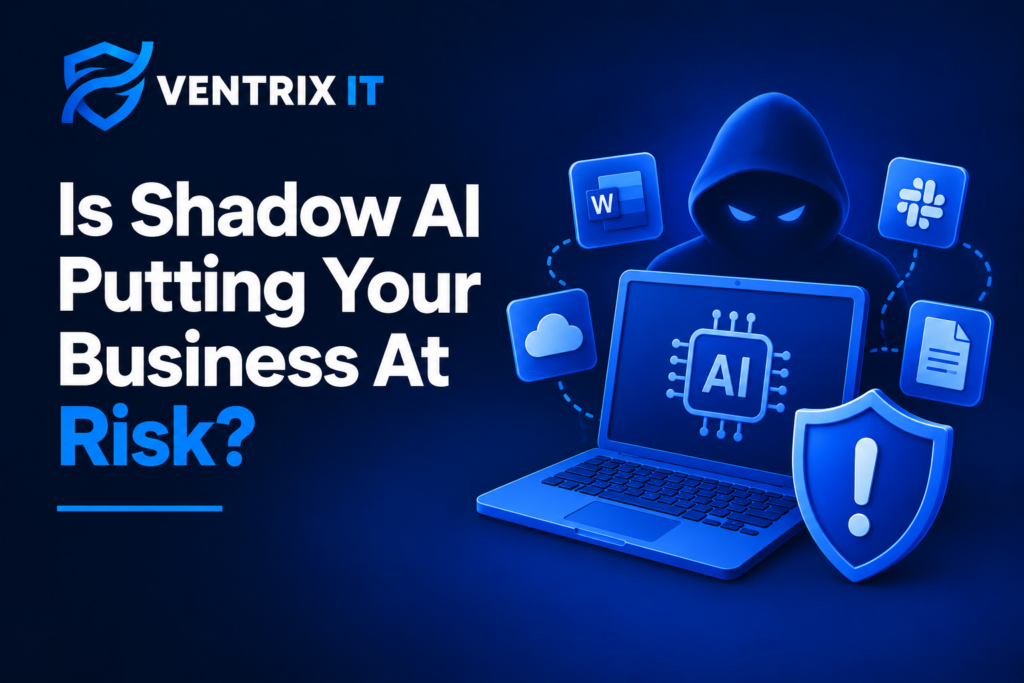
AI tools are becoming part of everyday working life, but many businesses have little visibility over which tools their employees are using or what information is being shared with them. This growing use of unapproved AI tools, often referred to as Shadow AI, creates a new challenge for businesses trying to protect their data.
What Is Shadow AI?
Shadow AI is the use of artificial intelligence tools by employees without the knowledge, approval or oversight of their organisation.
It is a natural development of Shadow IT, where employees use software or services without going through their IT team. The difference is that AI tools can introduce additional concerns around sensitive information, data protection and how business information is processed.
An employee might use ChatGPT to summarise a document, ask an AI tool to rewrite a customer email, upload a spreadsheet to analyse data or use an AI coding assistant to help with a project.
None of these actions necessarily appear malicious. In fact, the employee may simply be trying to work more efficiently.
The problem is that the business may have no idea what information has been shared or where it has gone.
Why Is Shadow AI Becoming a Bigger Problem?
AI adoption is moving quickly, and employees do not necessarily wait for an organisation to formally approve a tool before they start using it.
A business might have Microsoft 365 Copilot officially available to employees while staff are also using ChatGPT, Claude, Gemini or other AI services independently.
Microsoft now provides specific guidance for identifying and managing Shadow AI, including discovering which AI applications are being used across an organisation and identifying potentially risky interactions.
This creates a visibility problem.
If IT does not know which tools are being used, it becomes difficult to establish whether company information is being shared appropriately.
What Could Employees Accidentally Share?
The risk does not necessarily come from someone deliberately trying to leak confidential information.
Consider an employee who is asked to analyse a spreadsheet containing customer information. They may decide to upload it to an AI service because it can quickly identify trends and produce a summary.
Or an employee might paste an email containing sensitive customer information into an AI tool to help write a response.
Other examples could include:
- Customer or supplier information
- Internal financial information
- Contracts and legal documents
- Employee information
- Business plans
- Pricing information
- Source code
- Passwords or credentials
- Confidential correspondence
- Intellectual property
The employee may not realise that they are putting information outside the systems controlled by their organisation.
That is why simply telling employees to “be careful with AI” is unlikely to be enough.
Shadow AI Is Not Just a Cyber Security Problem
There is a temptation to treat Shadow AI purely as a cyber security issue.
It is broader than that.
Businesses also need to consider data protection, confidentiality, compliance and intellectual property.
If employees are using AI tools without a clear policy, the business may not know what information is being processed by third-party services or whether that use is appropriate.
This becomes particularly important for businesses handling customer information, financial data, commercially sensitive information or other confidential material.
The answer is not necessarily to ban AI altogether.
For many businesses, AI can provide genuine productivity benefits. The challenge is finding a way to allow employees to use useful tools while maintaining appropriate controls around business information.
Microsoft Is Introducing More Controls for Shadow AI
Microsoft has been developing tools specifically to help organisations address this problem.
In its September 2026 security updates, Microsoft announced that Microsoft Purview and Microsoft Entra Global Secure Access can now help organisations prevent sensitive information from being sent to unsanctioned AI tools at the network layer. For example, if an employee attempts to upload a sensitive document to an AI service that has not been approved by the organisation, a policy can potentially block the transfer before the information leaves the business environment.
Microsoft’s wider guidance recommends a staged approach:
- Discover which AI tools employees are using.
- Identify potentially risky AI activity and sensitive information.
- Control access to unsanctioned AI applications where appropriate.
- Protect sensitive information when approved AI tools are being used.
- Govern and monitor AI activity over time.
This is important because businesses cannot protect what they cannot see.
Should Businesses Ban AI?
For most businesses, the conversation should probably be more nuanced than simply allowing or banning AI.
A blanket ban may not stop employees from using AI. It could simply encourage them to use it without telling anyone.
Instead, businesses should consider establishing a clear AI usage policy.
This could set out:
- Which AI tools employees are permitted to use
- What information must never be entered into an AI tool
- How sensitive information should be handled
- Whether business accounts must be used
- Which AI tools have been approved by the organisation
- How employees should report concerns
- What monitoring and security controls are in place
The policy should then be supported by appropriate technical controls.
What Businesses Can Do Now
You do not need to build a complicated AI security strategy overnight.
A sensible starting point is to understand what is already happening.
Find Out What AI Tools Are Being Used
You cannot create an effective policy if you do not know what employees are using.
Microsoft provides tools that can help organisations discover AI application usage and identify potentially risky interactions.
Create Clear Rules
Employees should know which AI tools are approved and, just as importantly, what information they should never share with them.
Protect Sensitive Data
Businesses should consider whether their existing Microsoft 365 security and data protection controls are capable of identifying and restricting sensitive information being shared with AI services.
Review Microsoft 365 Security
Microsoft Entra, Intune, Defender and Purview can all play a role in controlling access, protecting devices and data, and managing AI usage. The exact tools available will depend on your Microsoft licensing and IT environment.
Keep Reviewing the Situation
AI tools are changing quickly. A policy written once and forgotten is unlikely to remain effective.
Businesses should periodically review which tools are being used, whether new services have appeared and whether existing controls are still appropriate.
Where Does an MSP Fit In?
This is where Shadow AI becomes a practical IT management issue.
A business may have a policy telling employees not to upload confidential information to AI tools, but without visibility and appropriate technical controls, it can be difficult to know whether that policy is actually being followed.
An MSP can help businesses take a more structured approach by:
Reviewing your Microsoft 365 environment
Identifying existing security controls and areas where additional protection may be appropriate.
Understanding AI usage
Helping establish which AI services are being used across the business and whether they have been approved.
Strengthening data protection
Helping configure appropriate Microsoft security and data protection controls to reduce the risk of sensitive information being shared inappropriately.
Managing user access and devices
Ensuring business devices, identities and applications are properly managed and secured.
Creating practical AI policies
Helping businesses establish clear guidelines for employees without unnecessarily restricting useful technology.
Providing ongoing IT and security management
Keeping security controls, Microsoft 365 environments and devices maintained as the technology and threat landscape changes.
AI Can Be Useful Without Becoming a Security Risk
The answer to Shadow AI is not necessarily to stop employees using artificial intelligence.
AI can offer significant benefits when it is introduced responsibly and supported by appropriate security controls.
The bigger risk is AI being adopted without the business knowing how it is being used.
As AI becomes a normal part of the working environment, businesses need to think about it in the same way they think about other areas of IT: who has access, what information is being handled, what controls are in place and who is responsible for managing it.
How Ventrix IT Can Help
At Ventrix IT, we help businesses manage the technology they rely on while keeping security at the centre of their IT environment.
That includes Microsoft 365, user access, device management, cyber security and the policies and controls that help businesses use technology safely.
If your employees are already using AI tools but you are not sure which ones they are using, what information is being shared or whether your existing Microsoft 365 security is providing enough protection, it may be time to take a closer look.
Get in touch with Ventrix IT to discuss how we can help your business introduce AI safely while keeping your data and systems properly protected.